Introduction

As an avid reader I use the Goodreads app daily to explore and discover new books, track my reading progress, update the status of my books, and see what my friends are reading.

Throughout years of using the app I have been able to detect areas of improvement. Some of which have also been highlighted in reading groups I belong to. Because of this I went about defining ways to make the Goodreads app more effective and useful for its users, increasing customer satisfaction and retention.
Process

Role

  • UX/Product Designer

Tools

  • Figma
  • OptimalWorkshop (card sorting)
  • Maze (usability testing)
  • ChatGPT 4.0

Preliminary Research

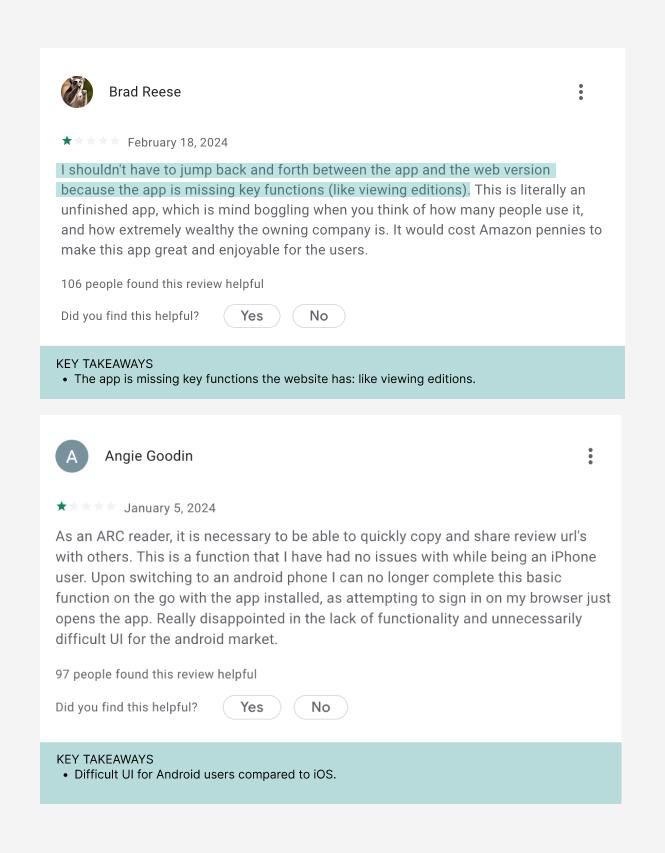
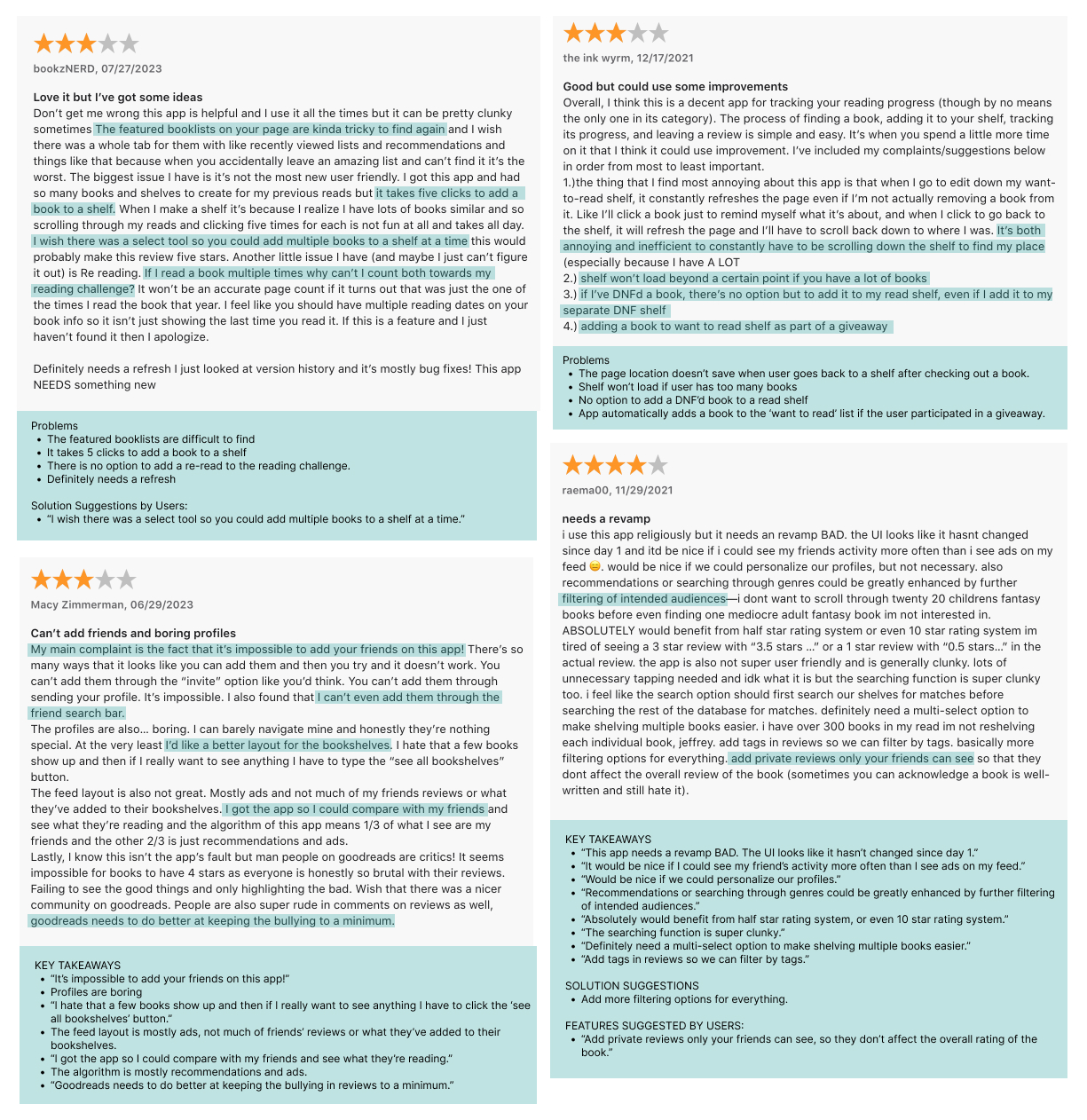
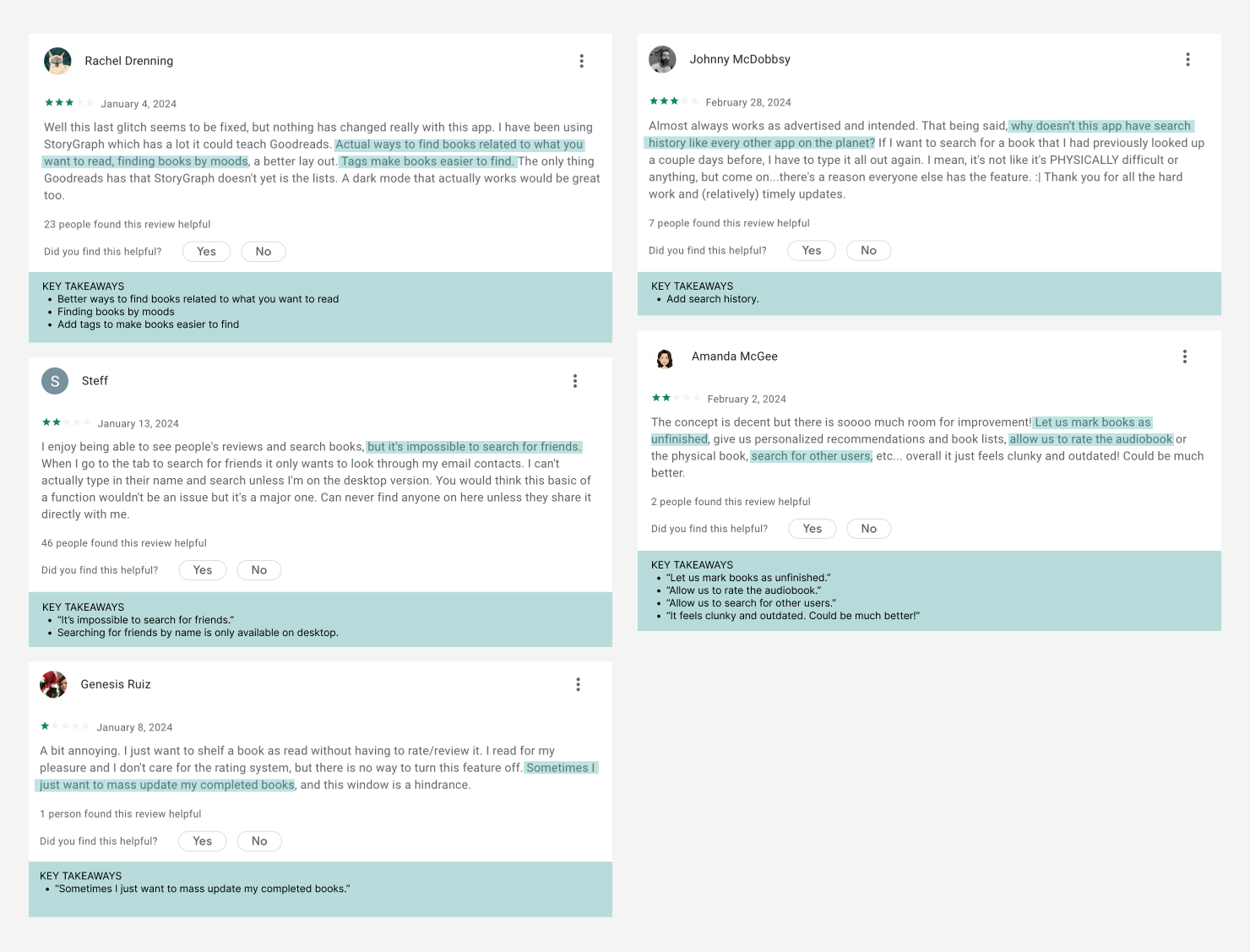
To validate the initial problem hypothesis I collected and analyzed reviews of existing users’ thoughts and feelings, through recent app reviews as well as scouring facebook groups. This gave me a window into opportunities for improvement, as well as what features users find top priority when using the app.

Synthesis of Data

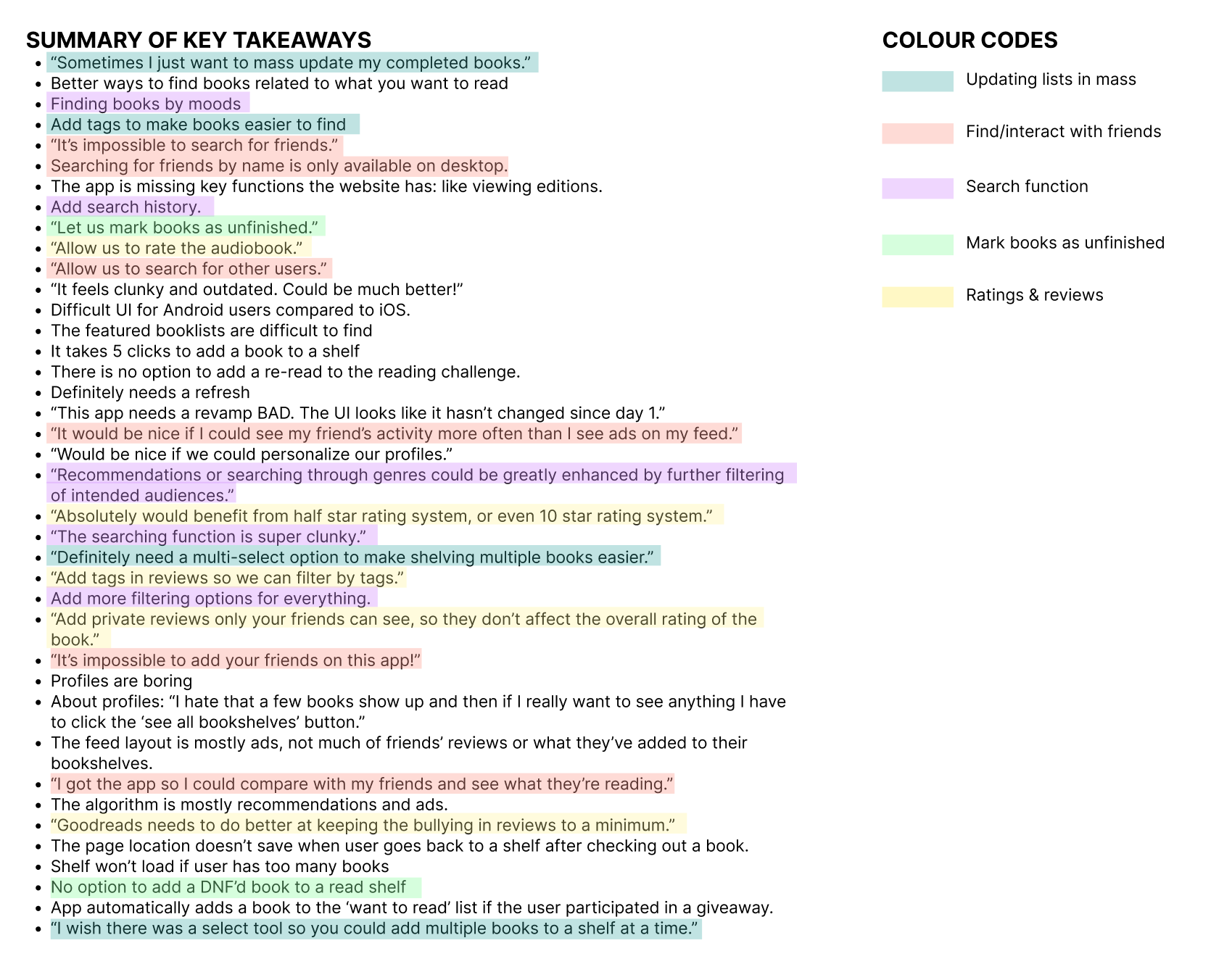
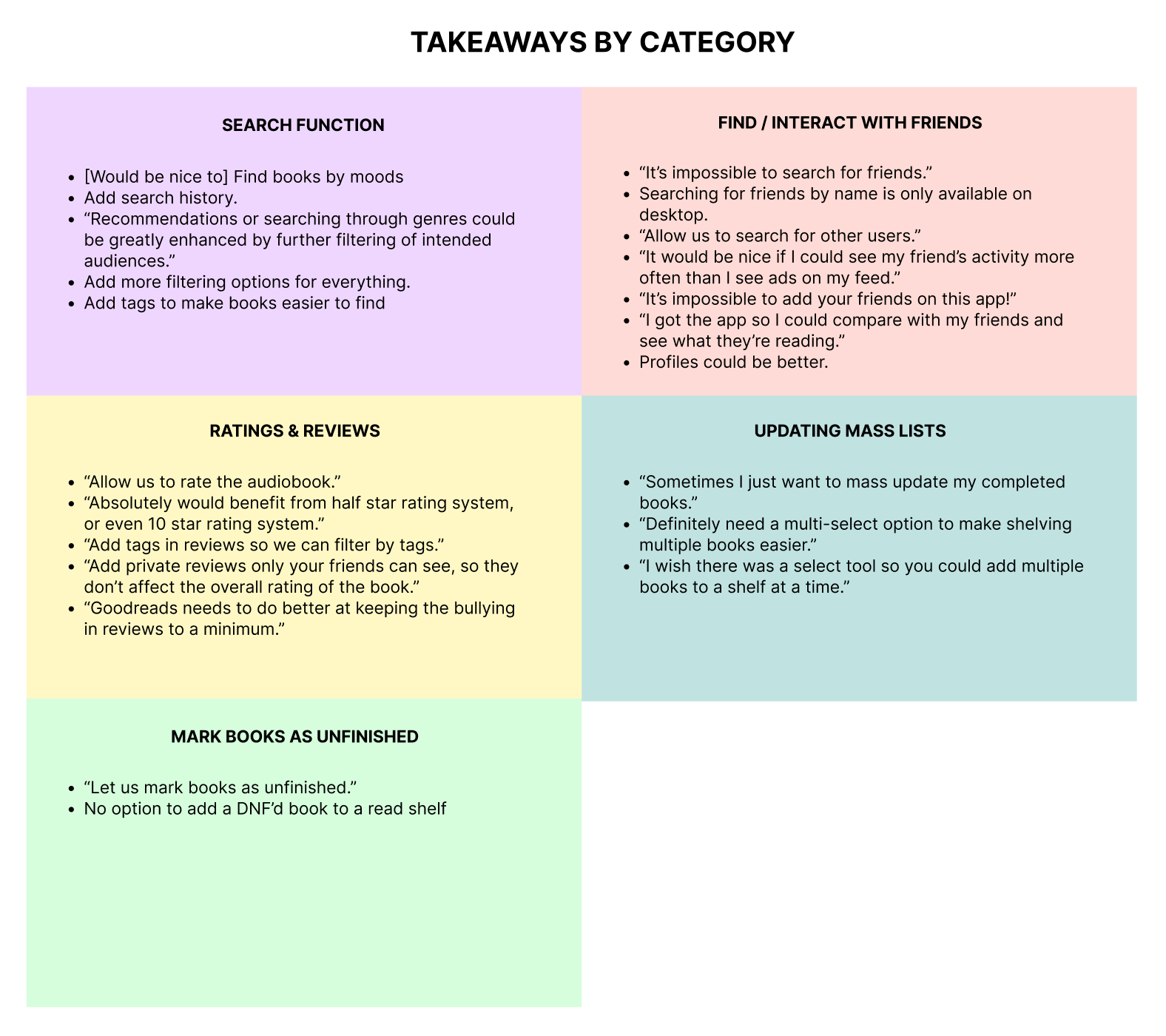
After gathering the reviews and extracting the key takeaways, I organized them and categorized them based on their common themes.

Preliminary Findings

Preliminary research produced the following findings:

  • Find & Interact with Friends:
    • Existing Goodreads users find it challenging to find friends using the app.
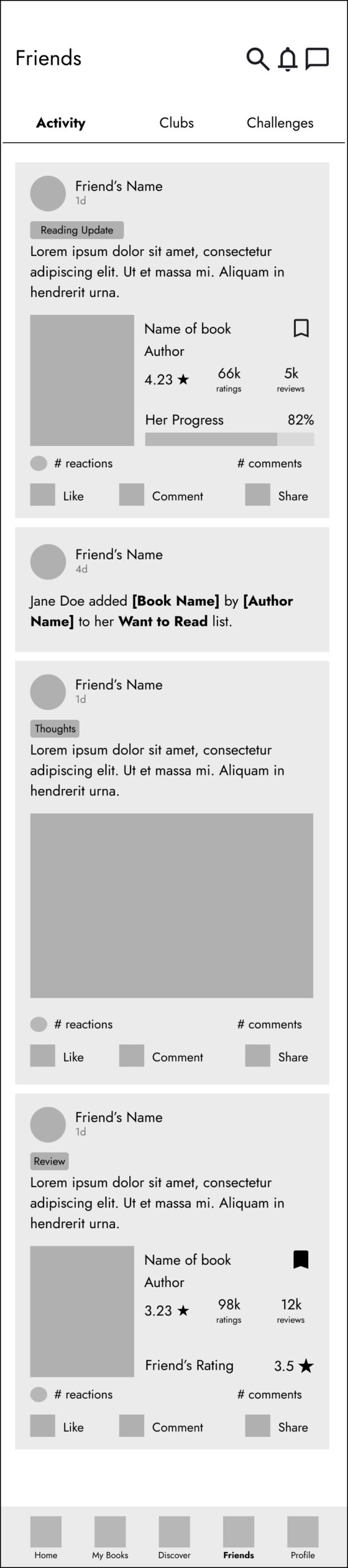
    • Users would like to see more of their friend’s activities
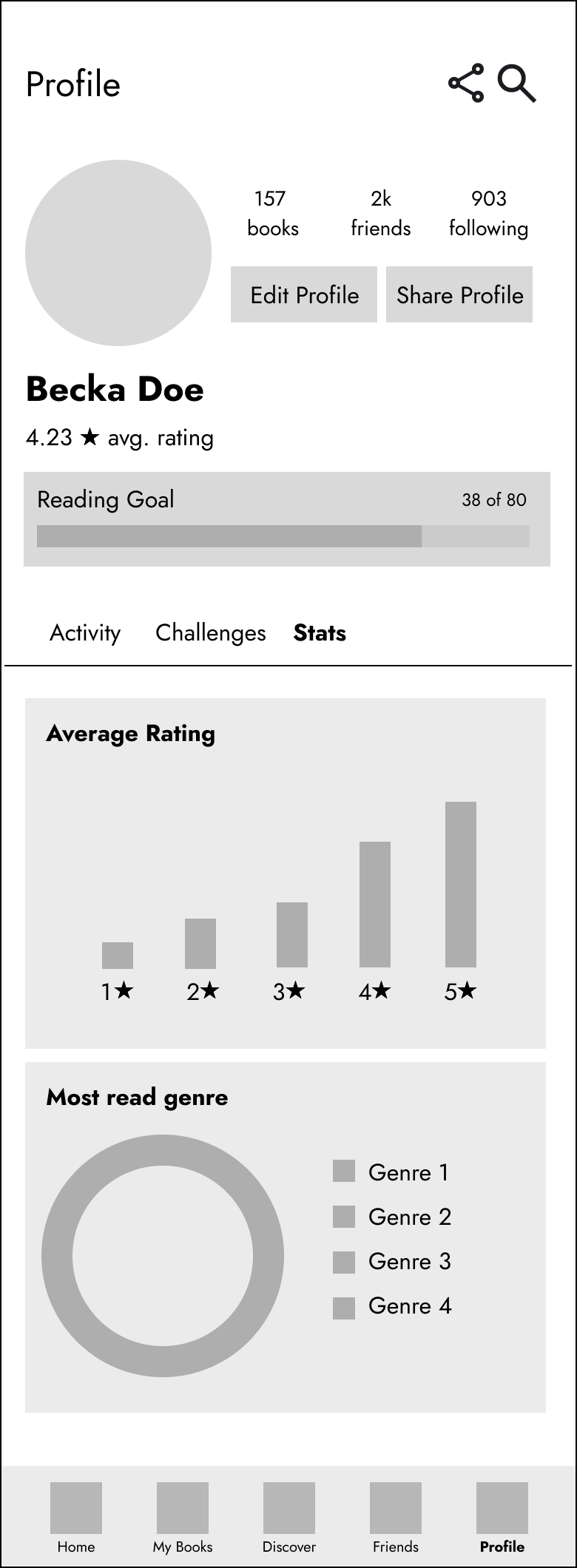
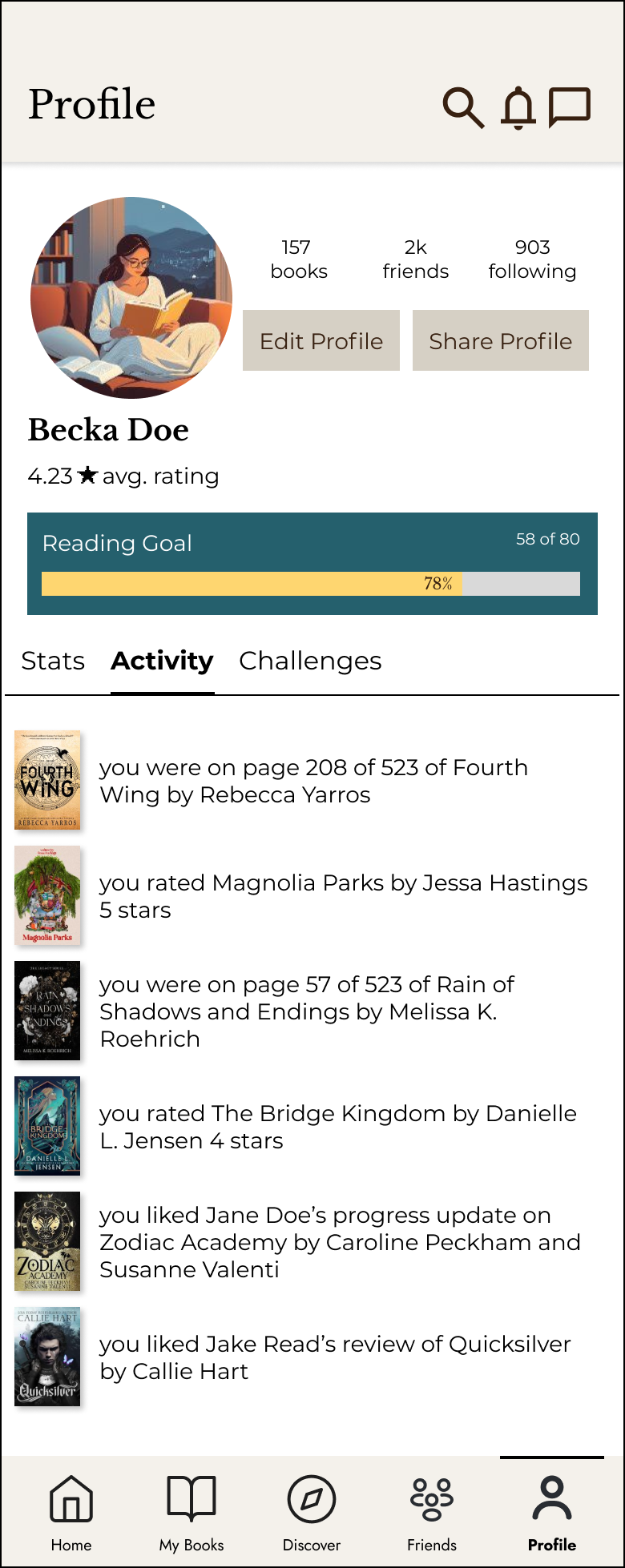
    • Profiles could be more engaging.
    • “It’s impossible to search for friends.”
  • Ratings & Reviews:
    • Users would like to rate books with half star ratings.
    • Add tags to reviews to filter by.
    • “Absolutely would benefit from half star rating system, or even 10 star rating system.”
  • Search Function:
    • Finding books by moods
    • Search history
    • Comprehensive filtering options
    • Tags to find books more easily.
  • Updating Lists in Bulk:
    • Users would like to be able to update book lists in bulk
  • Users would also like to be able to mark books as unfinished, as well as track books they are re-reading.

It’s impossible to search for friends.

Absolutely would benefit from half star rating system, or even 10 star rating system.

User Personas & User Journeys

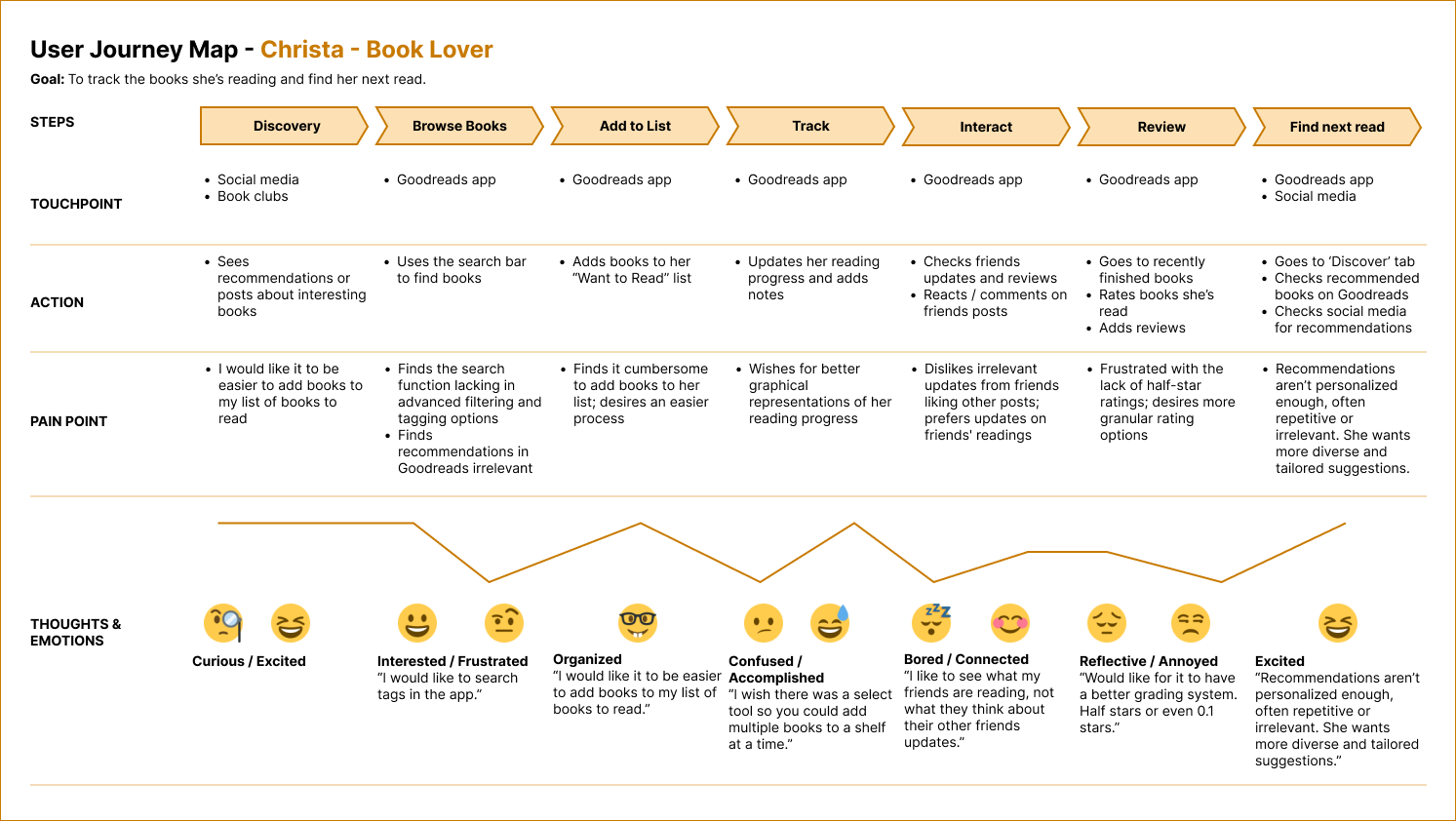
Using the data and findings from the preliminary research I was able to distinguish three different user personas:

  • Christa: the book lover
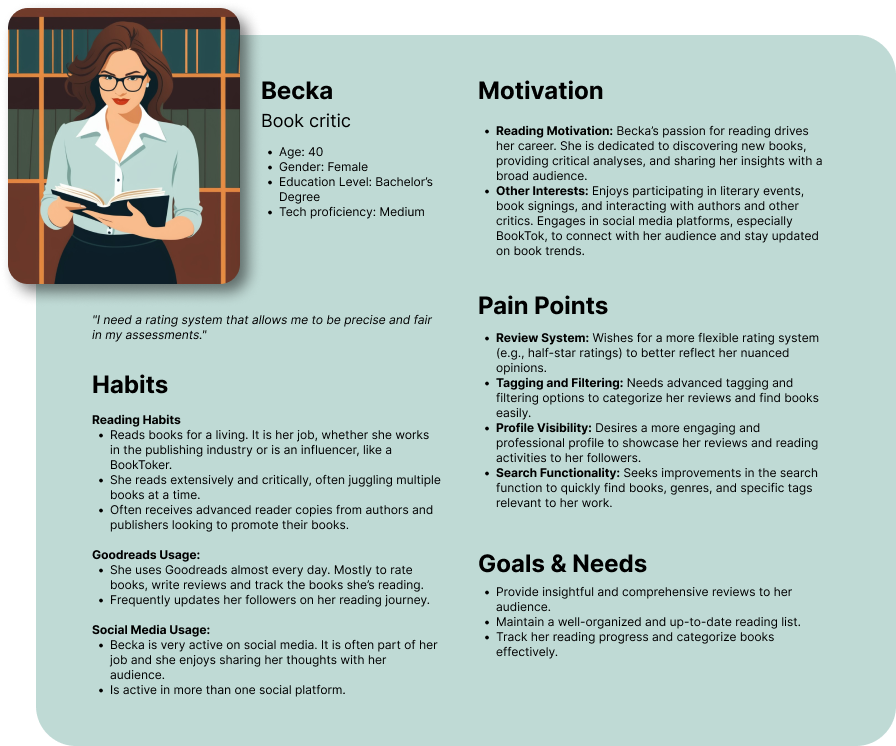
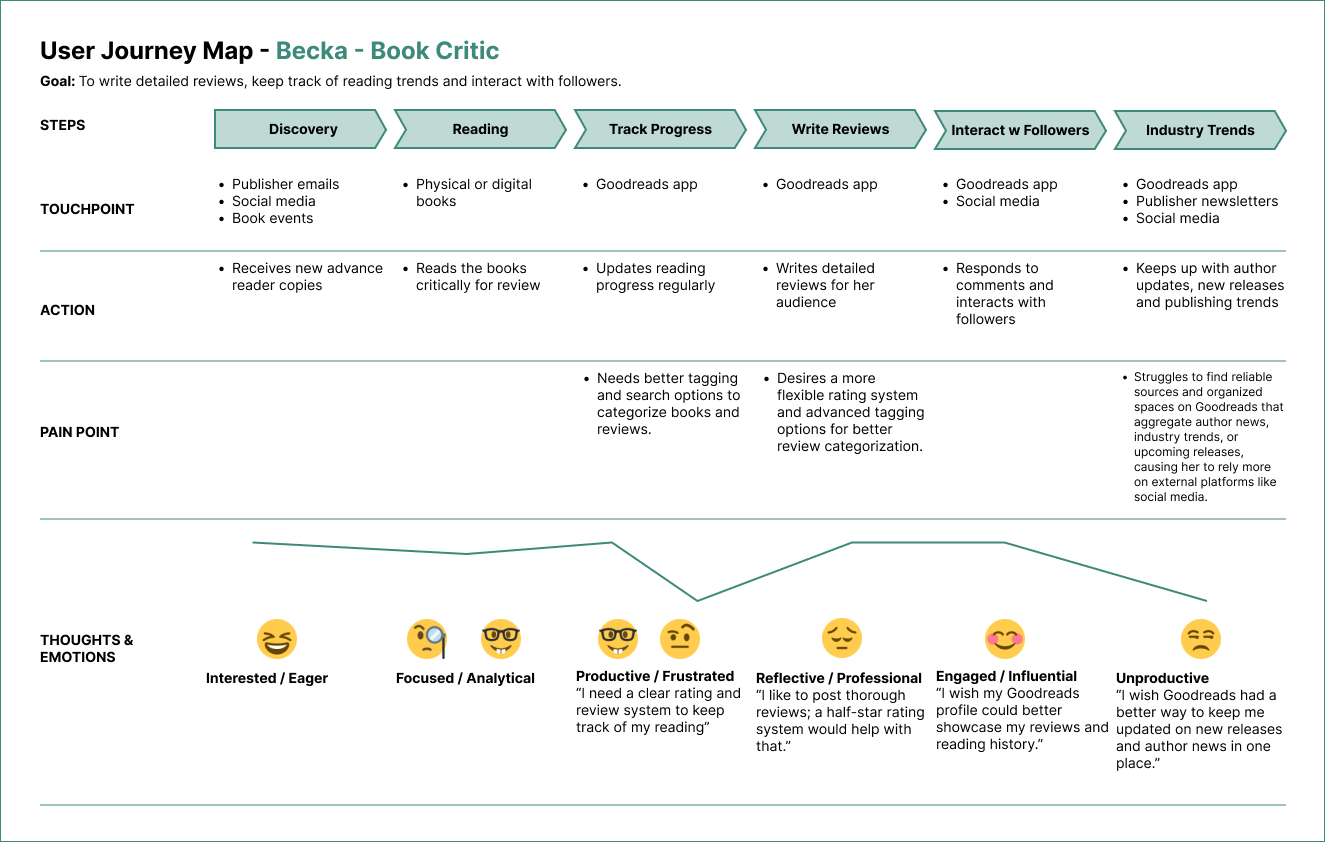
  • Becka: the book critic
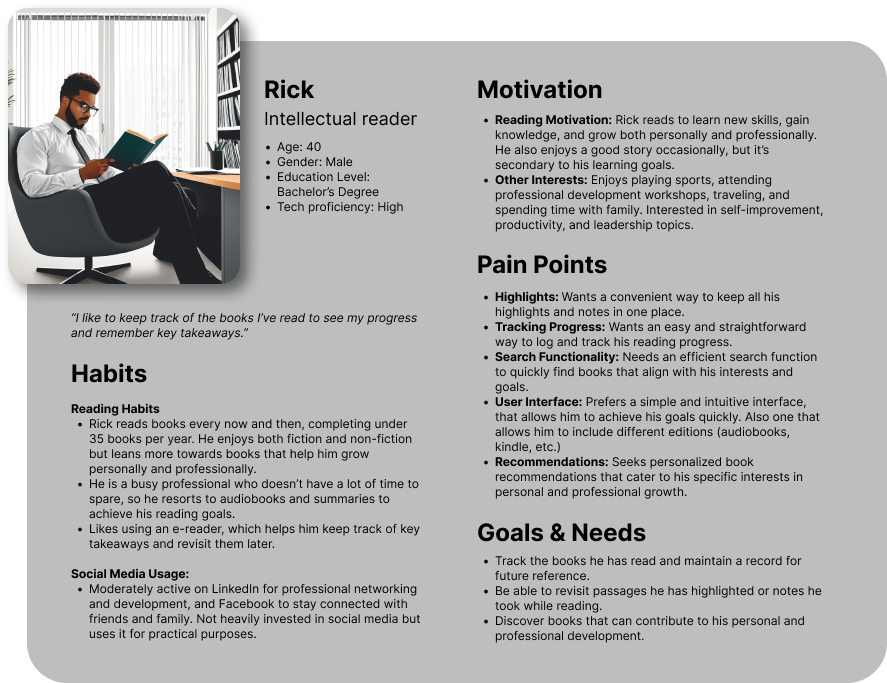
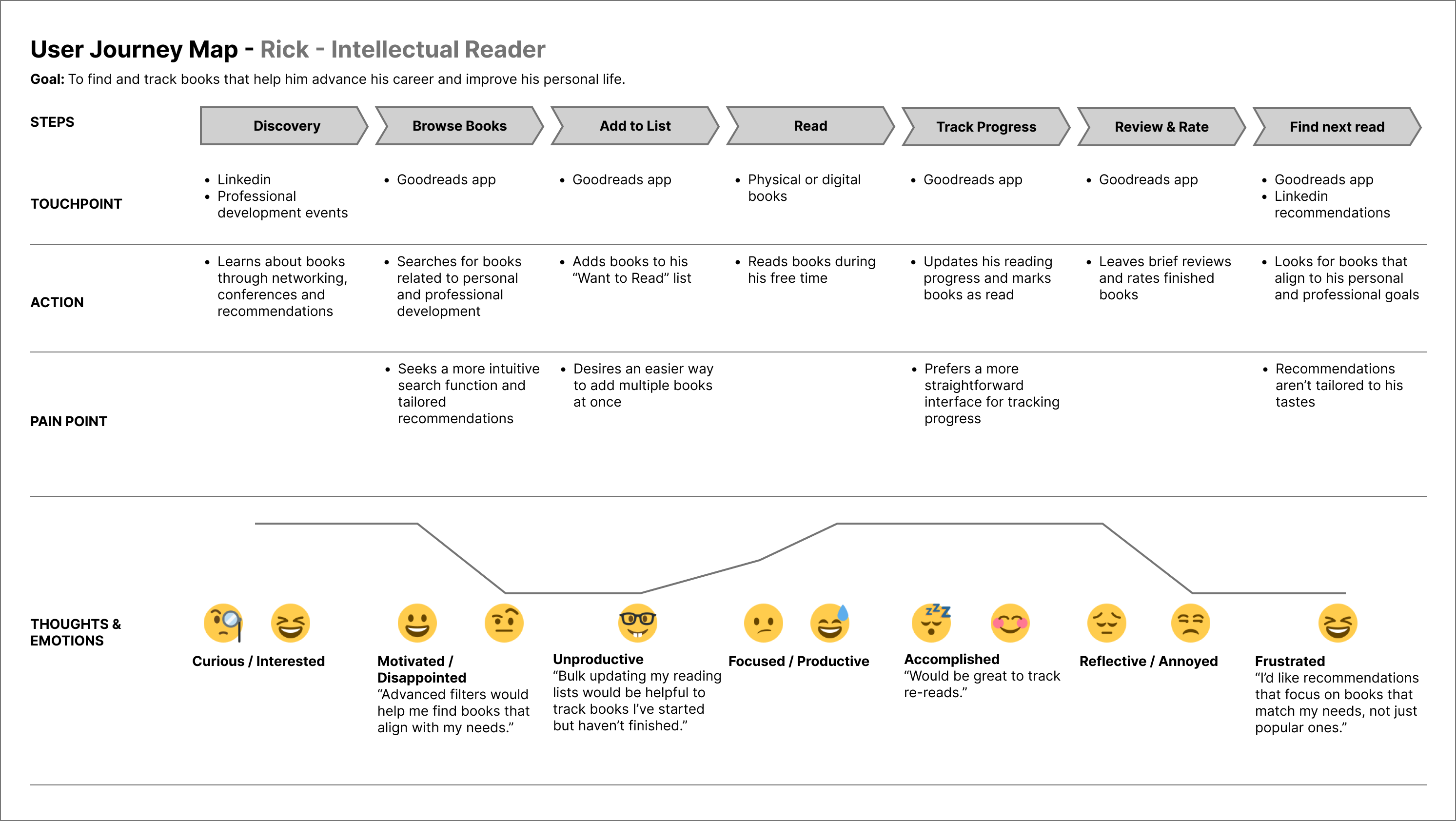
  • Rick: the intellectual reader

Click to enlarge

Click to enlarge

Click to enlarge

Competitor Analysis

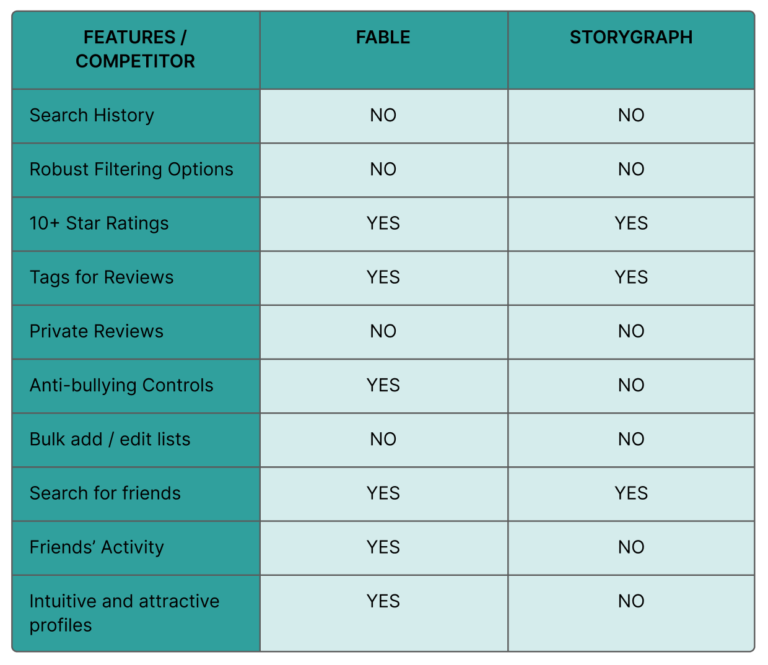
I conducted a competitor analysis with two of the most popular book tracking apps to help me determine which features are key to customer retention. In this case they were:
  • Search for friends and friend’s activity
  • Improved profiles.
  • 10-star ratings
  • Tags for reviews

Information Architecture

Given that many user concerns centered around difficulties in finding content within the app, it was relevant to evaluate its information architecture to identify potential navigation improvements.

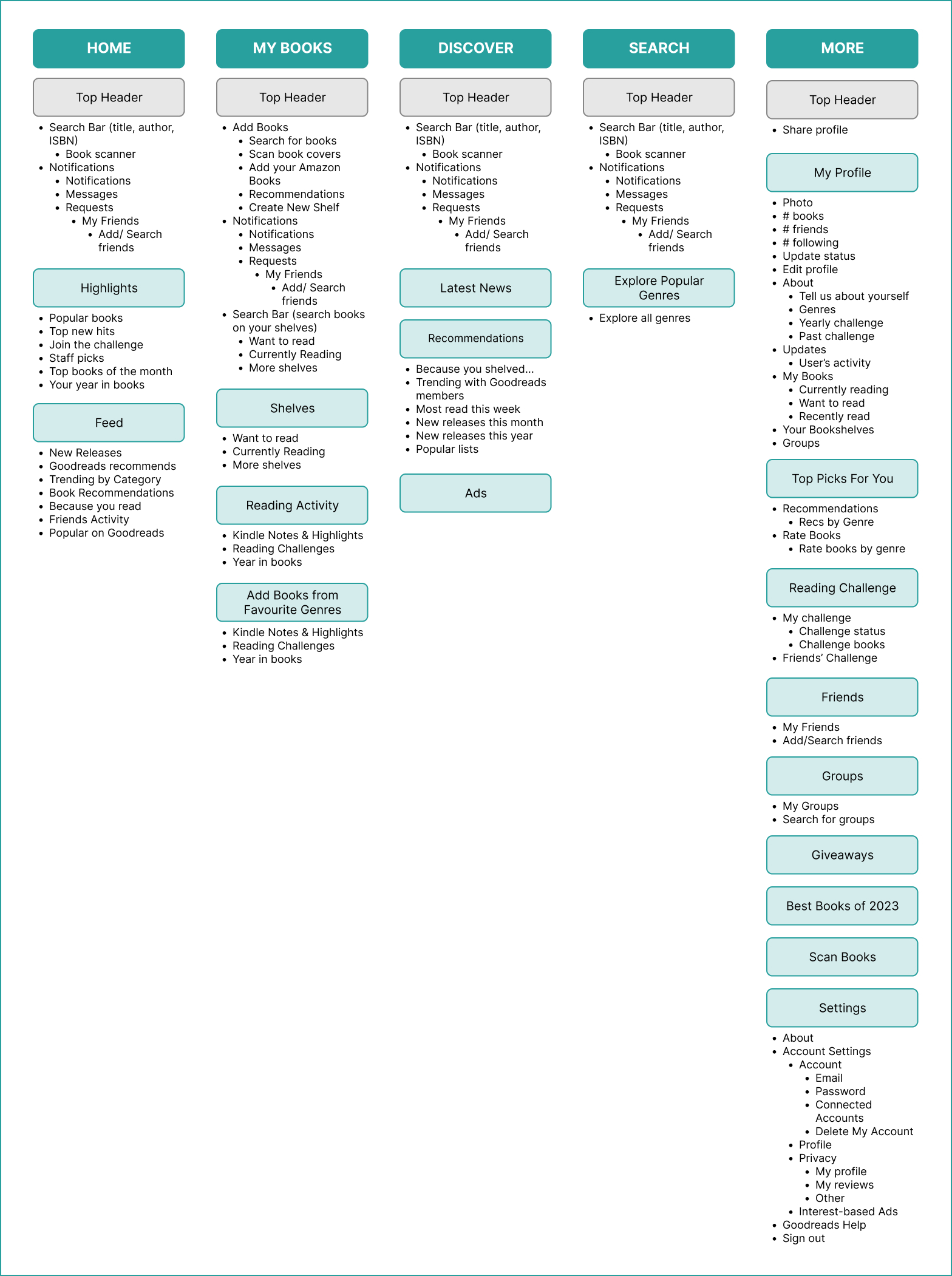
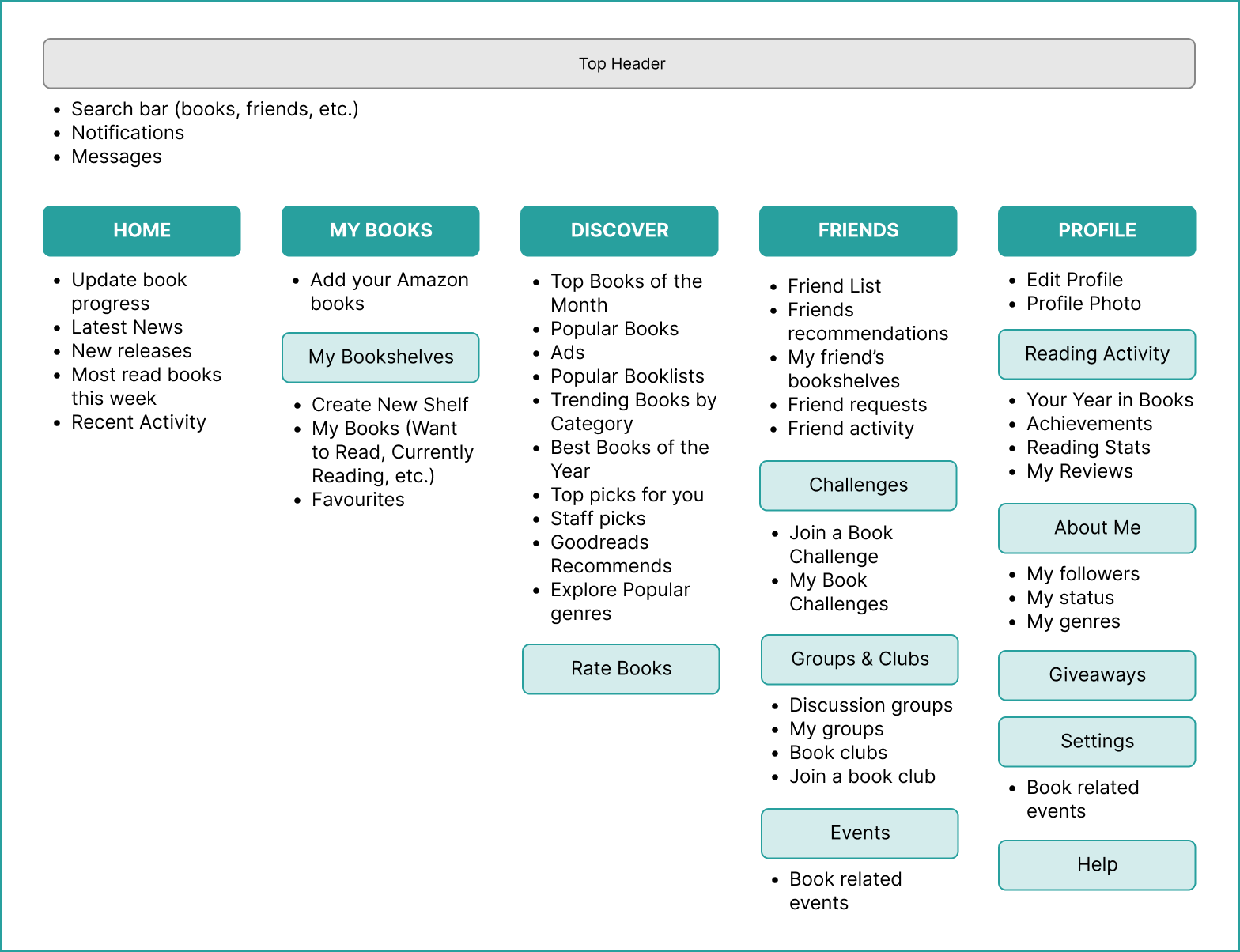
I conducted a card sorting exercise to define what an improved information architecture would look like.

Original Information Architecture

Click to enlarge

Improved Information Architecture

Click to enlarge

Use Cases

Based on the research up to this point, improving the following features could greatly impact user engagement and retention: improved information architecture, enhanced search functionality, 10-star ratings, tags for reviews, tags for books and finding books by moods, engaging profiles, friends interactions and finding friends, updating lists in bulk.

For the purpose of simplifying this case study, I will focus on redesigning and testing the user stories below, while sprinkling improvements to the remaining ones throughout the design process.

  • As a user I’d like…
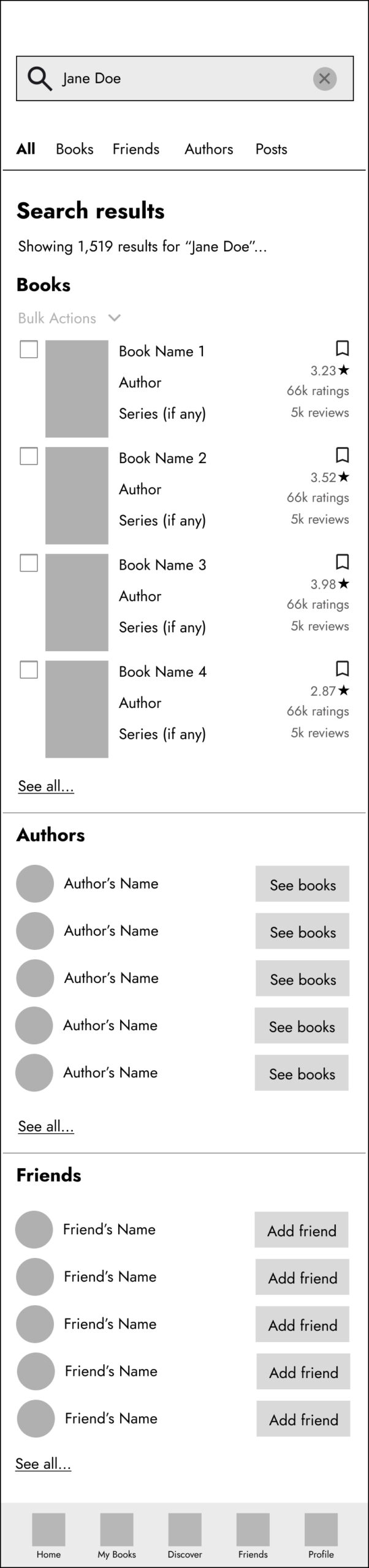
    • To find books, friends and authors easily
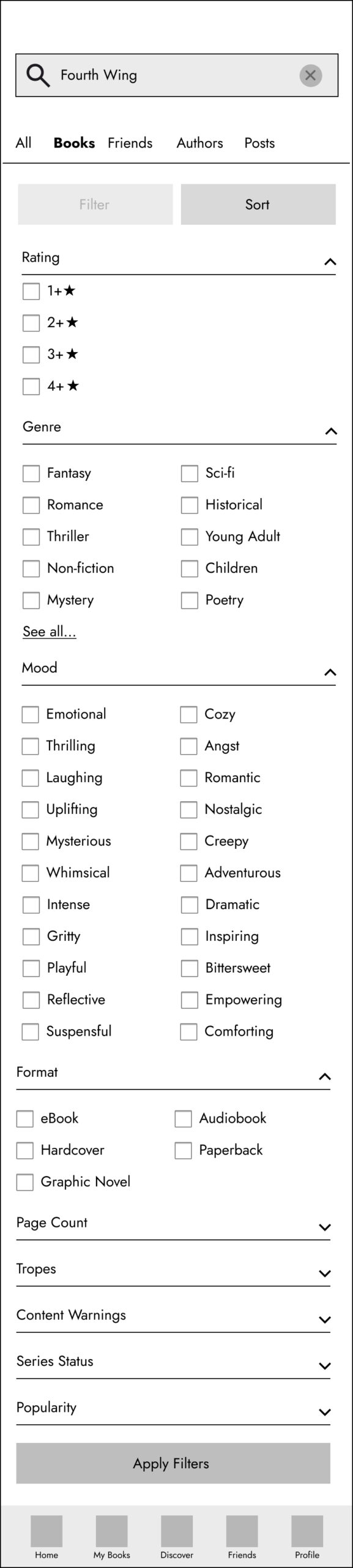
    • To have comprehensive filtering options when searching for books
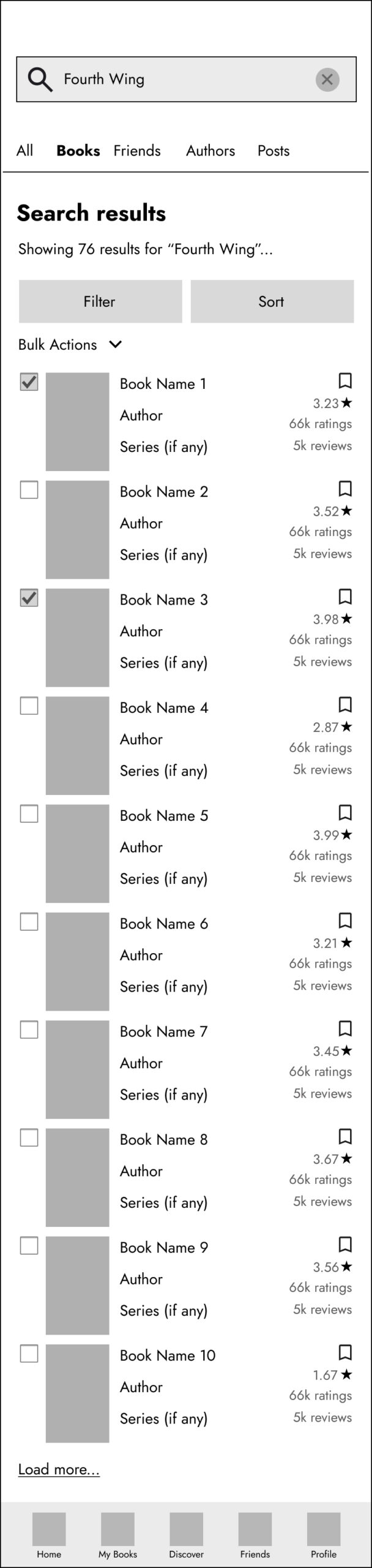
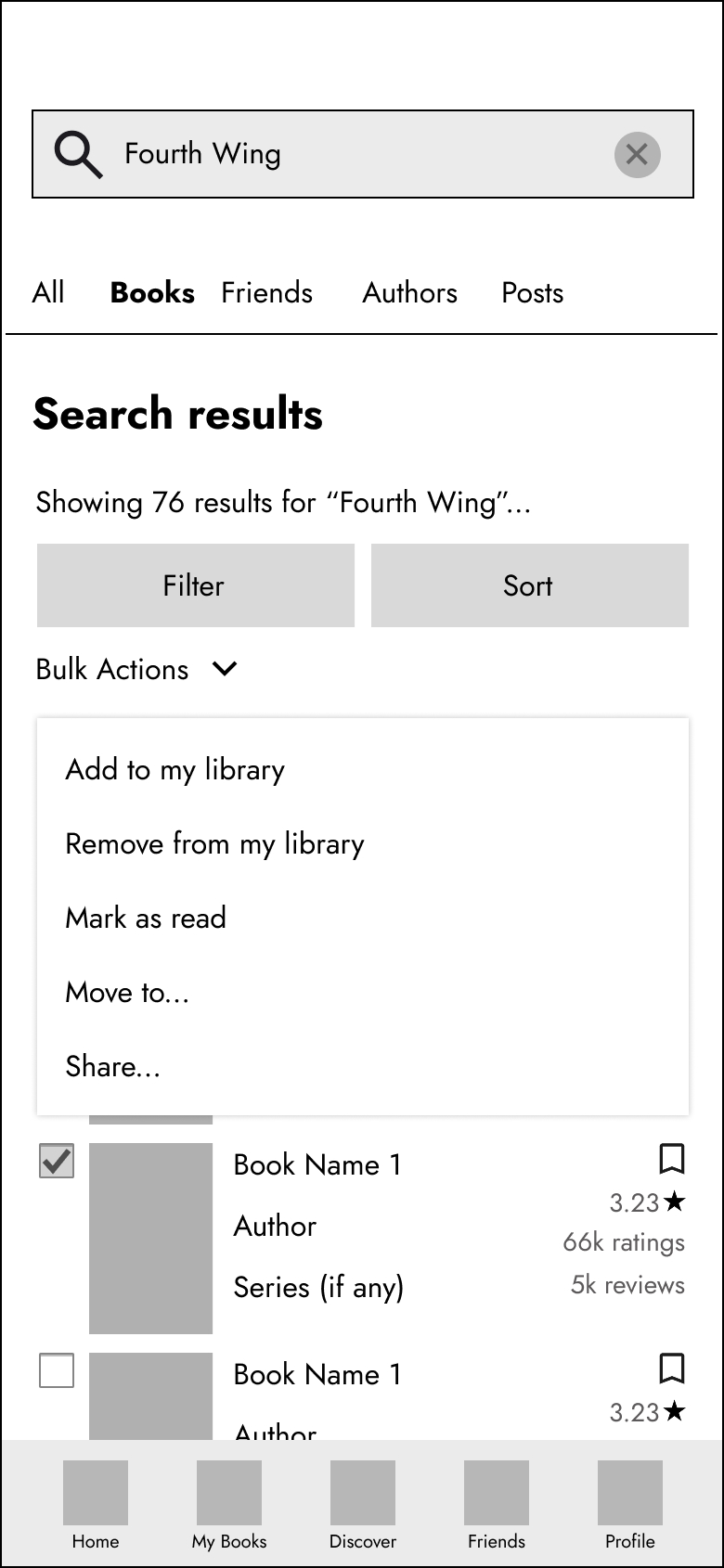
    • To bulk add books to my lists

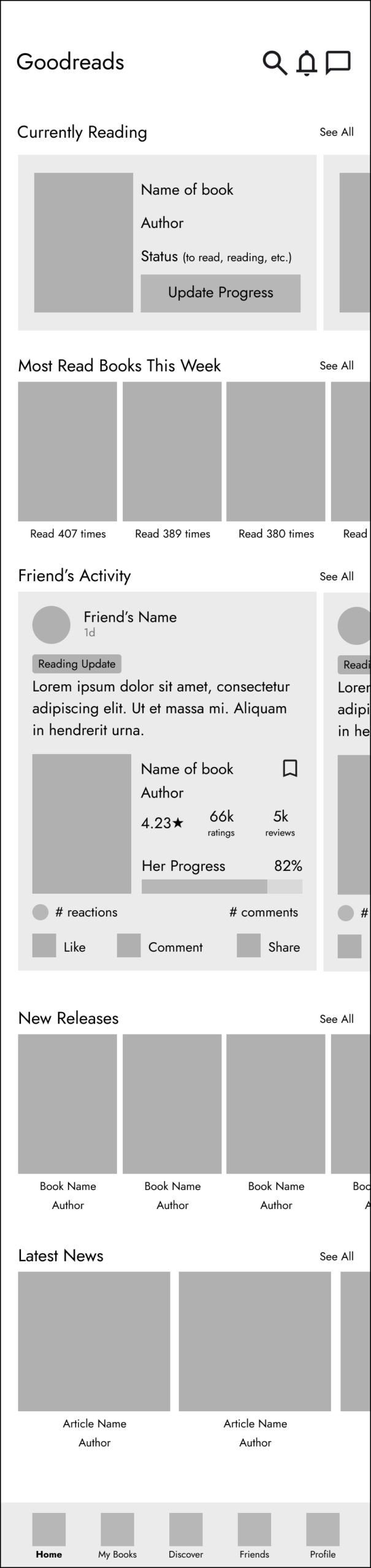
Wireframes

Home
Search Results-All
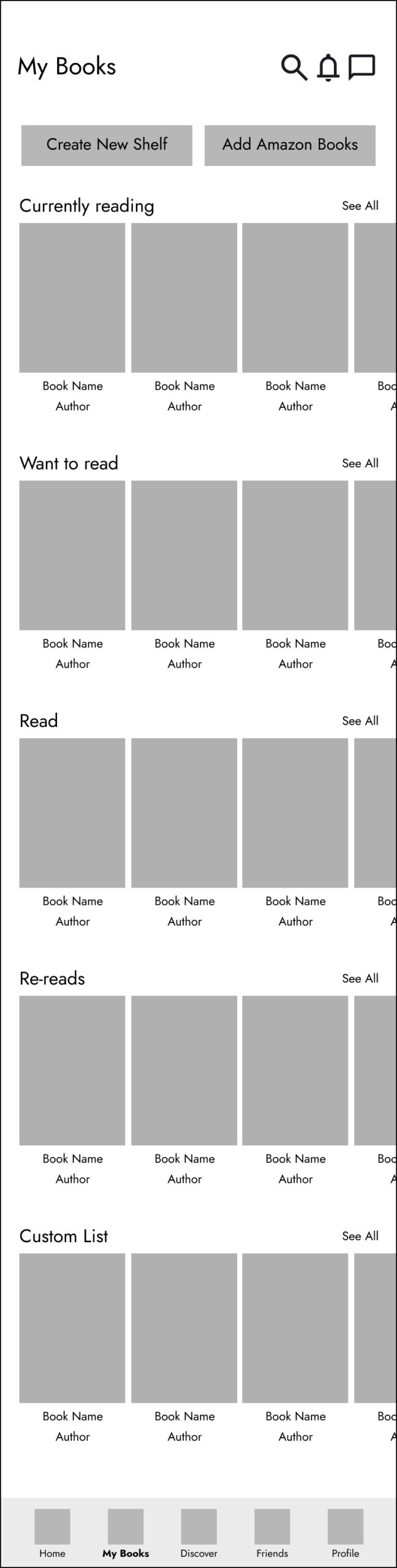
My Books
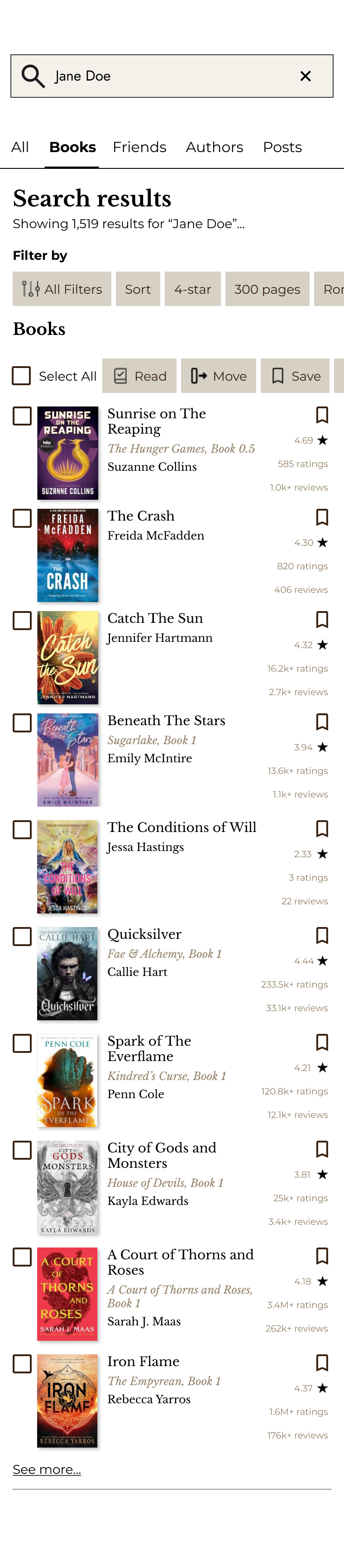
Search Results-Books
Discover
Filtering Options
Friends
Bulk Actions Dropdown
Profile
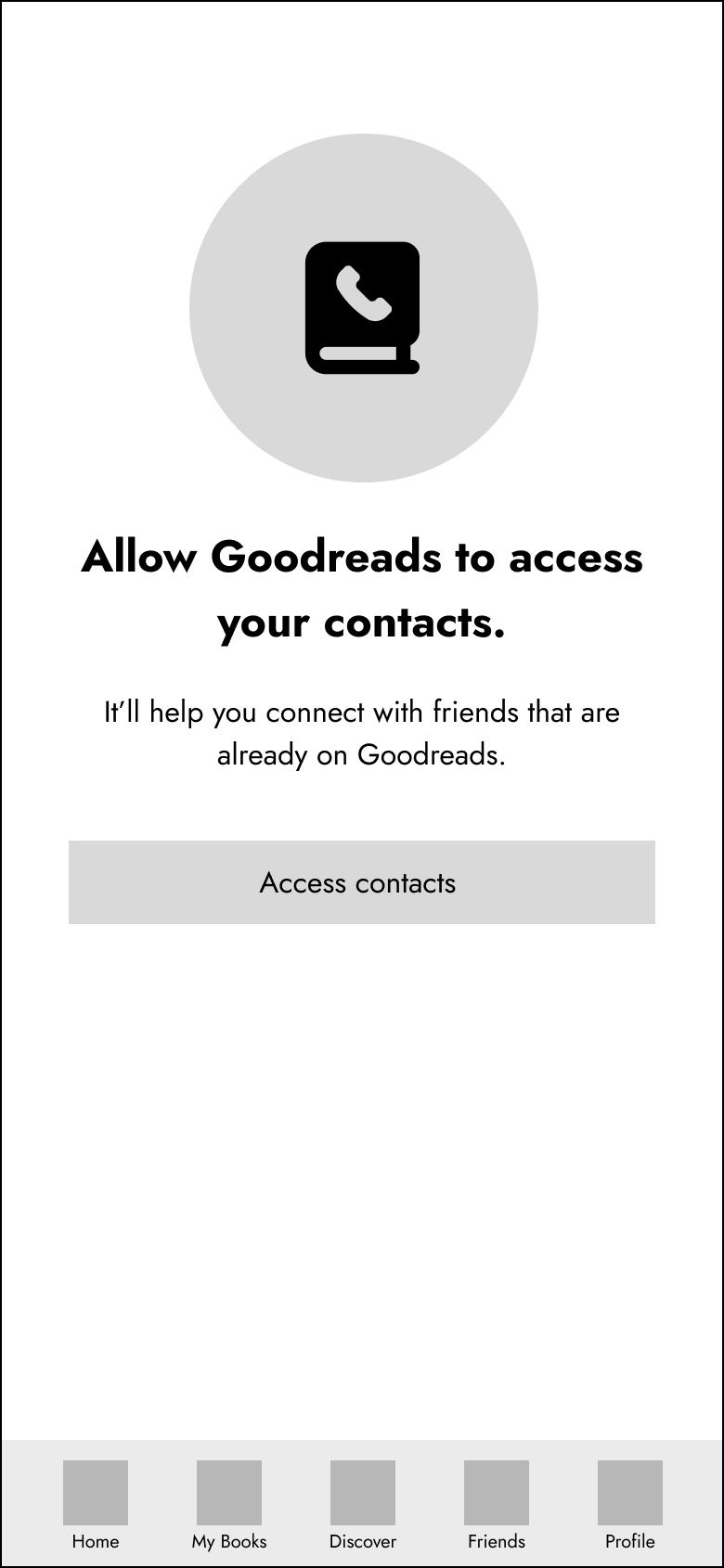
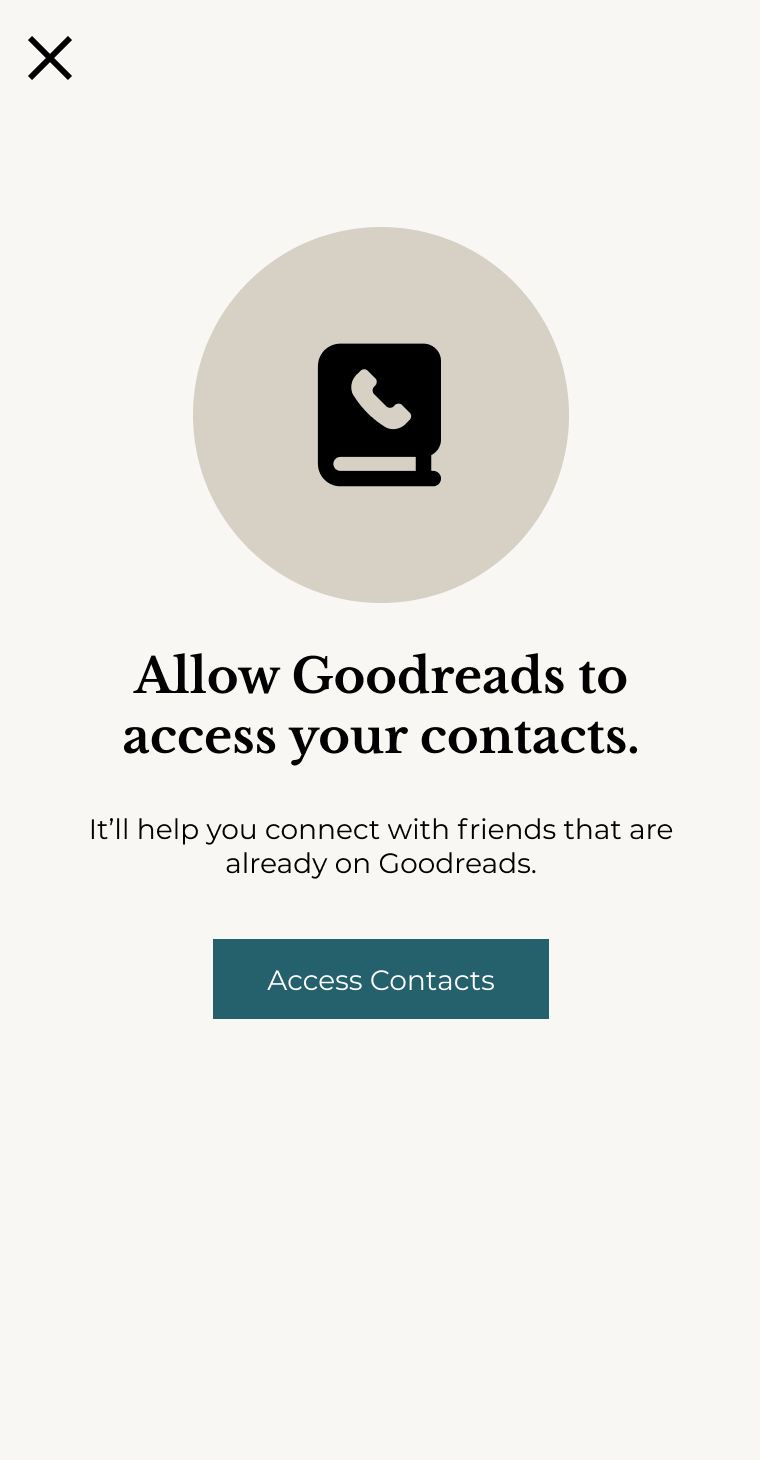
Access Contacts
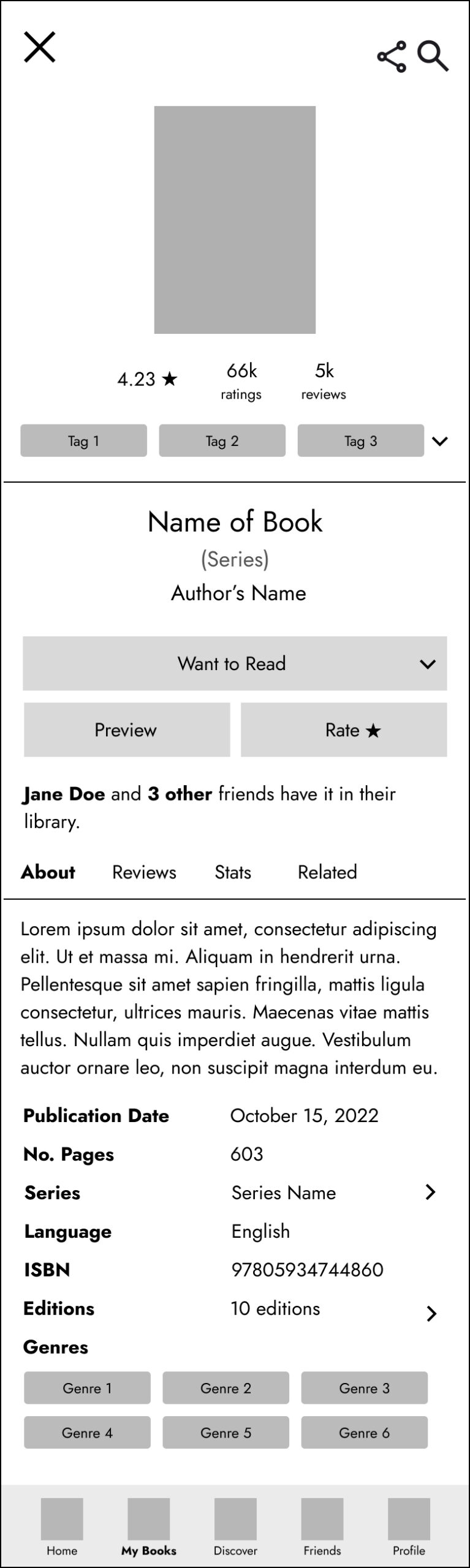
Book Details

Wireframes Usability Test

Usability testing of the wireframes provided the following takeaways:

  • Users found it difficult to find the bulk action options.
    Takeaway: made the bulk actions button stand out more.
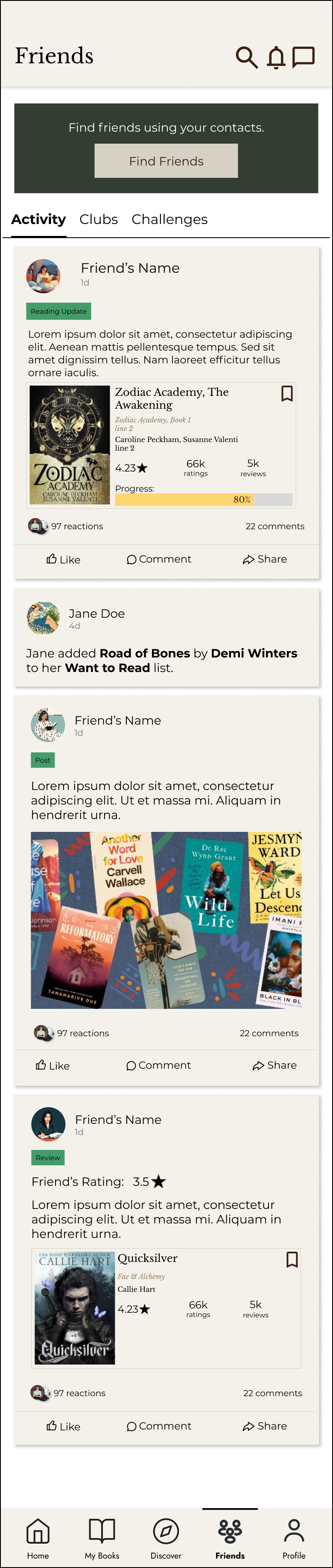
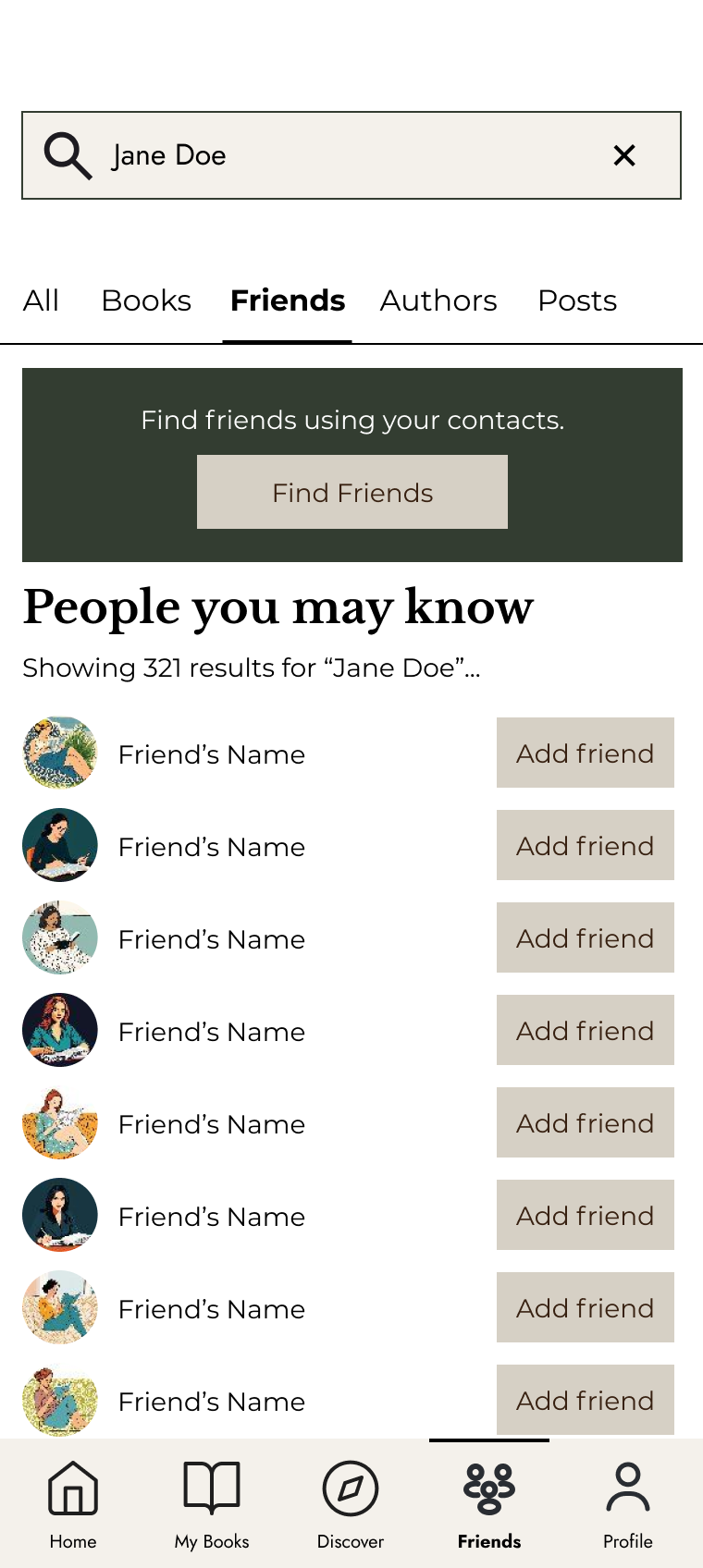
  • Most users couldn’t find the ‘find your friends’ option on the search screen. They thought they would find this option under the ‘Friends’ tab.
    Takeaway: add the ‘find your friends’ option under the ‘Friends’ tab.
  • Most didn’t think of using the filtering options to find a specific book which helped me conclude that it wasn’t easy to find.
    Takeaway: One possible solution would be to put popular filtering tabs, next to the Filter button.

This feedback was taken into account when designing the prototype.

Bulk action was hard to find.

I did find it a bit confusing cause I was hoping to find what I am looking for under Friends section.
Confusing. Couldn’t find a book with this criteria.

Prototype

Due to time constraints and for the purpose of consistency, I reused the company’s existing brand standards and did not explore a possible revamp of the app’s look and feel.

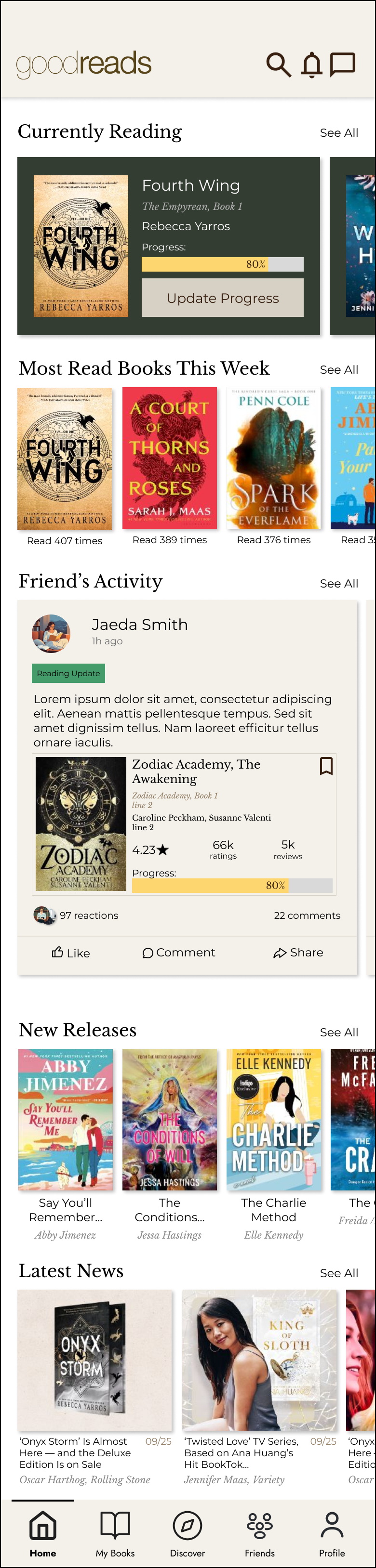
Home
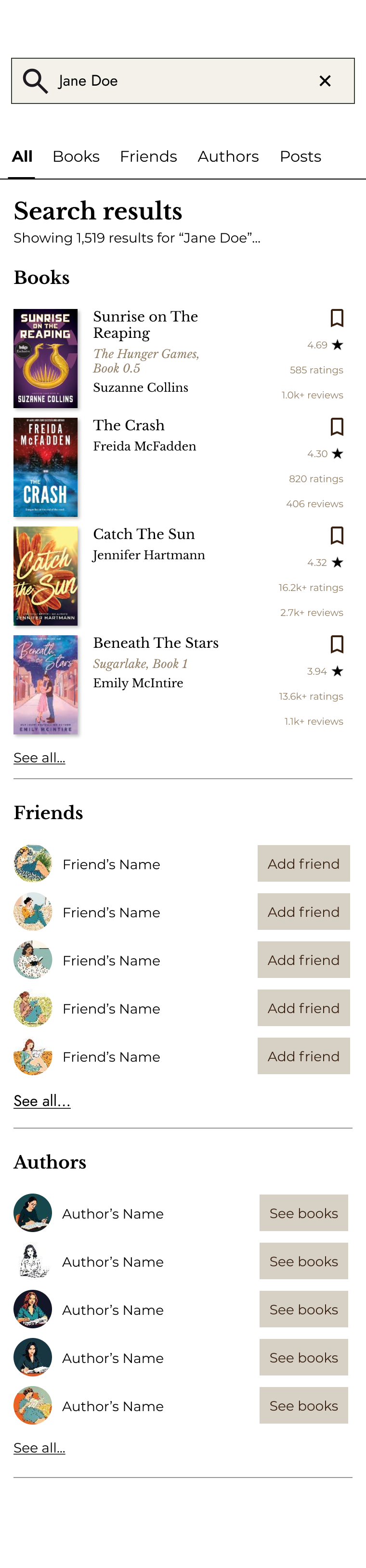
Search – All Overlay
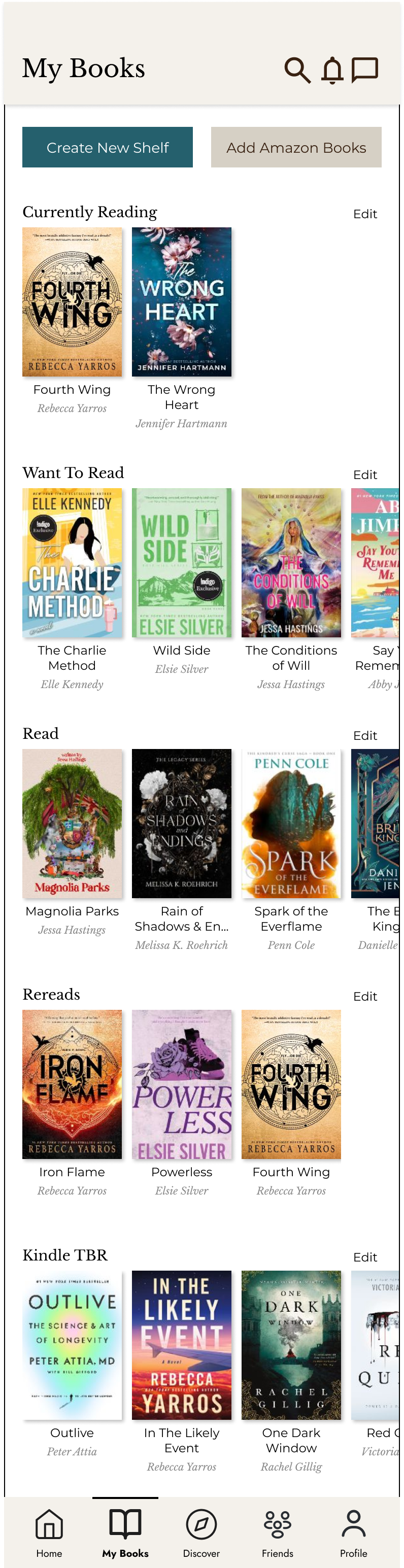
My Books
Search – Books Overlay
Discover
Filtering Options Overlay
Friends
Search – Friends Overlay
Profile
Access Contacts Overlay
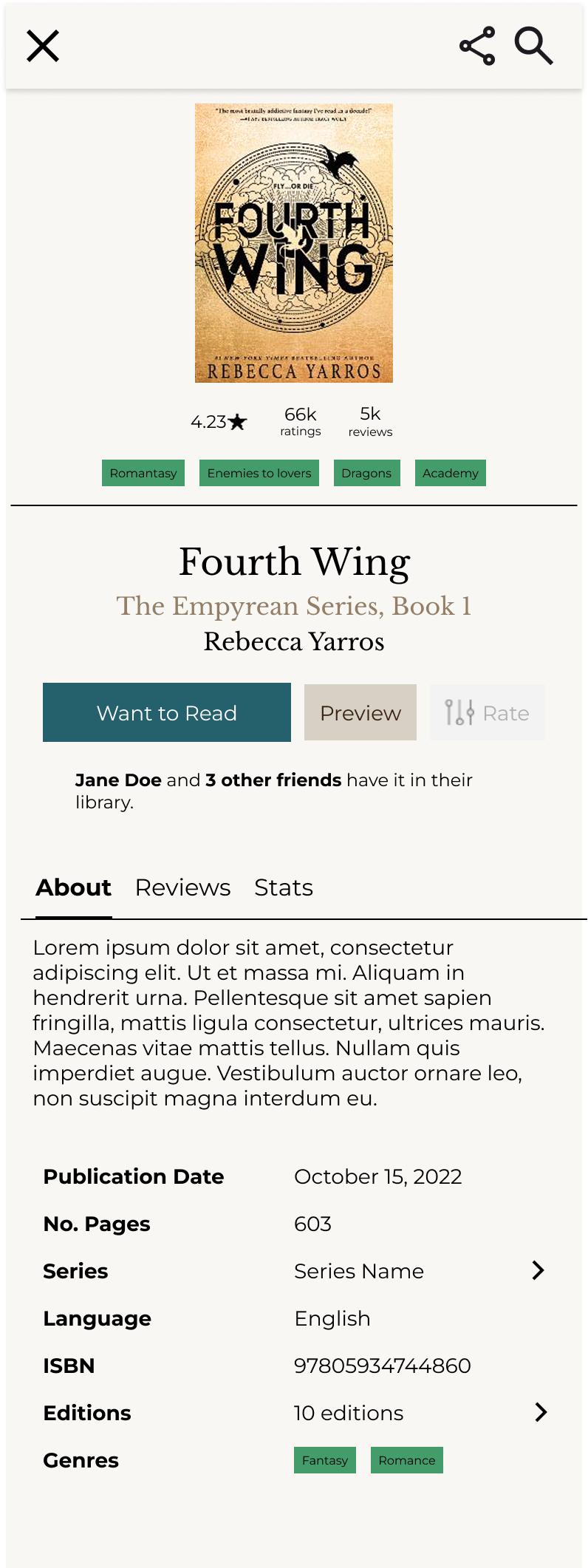
Book Details – Overlay

Prototype Usability Test

Testing of the prototype provided the following takeaways:

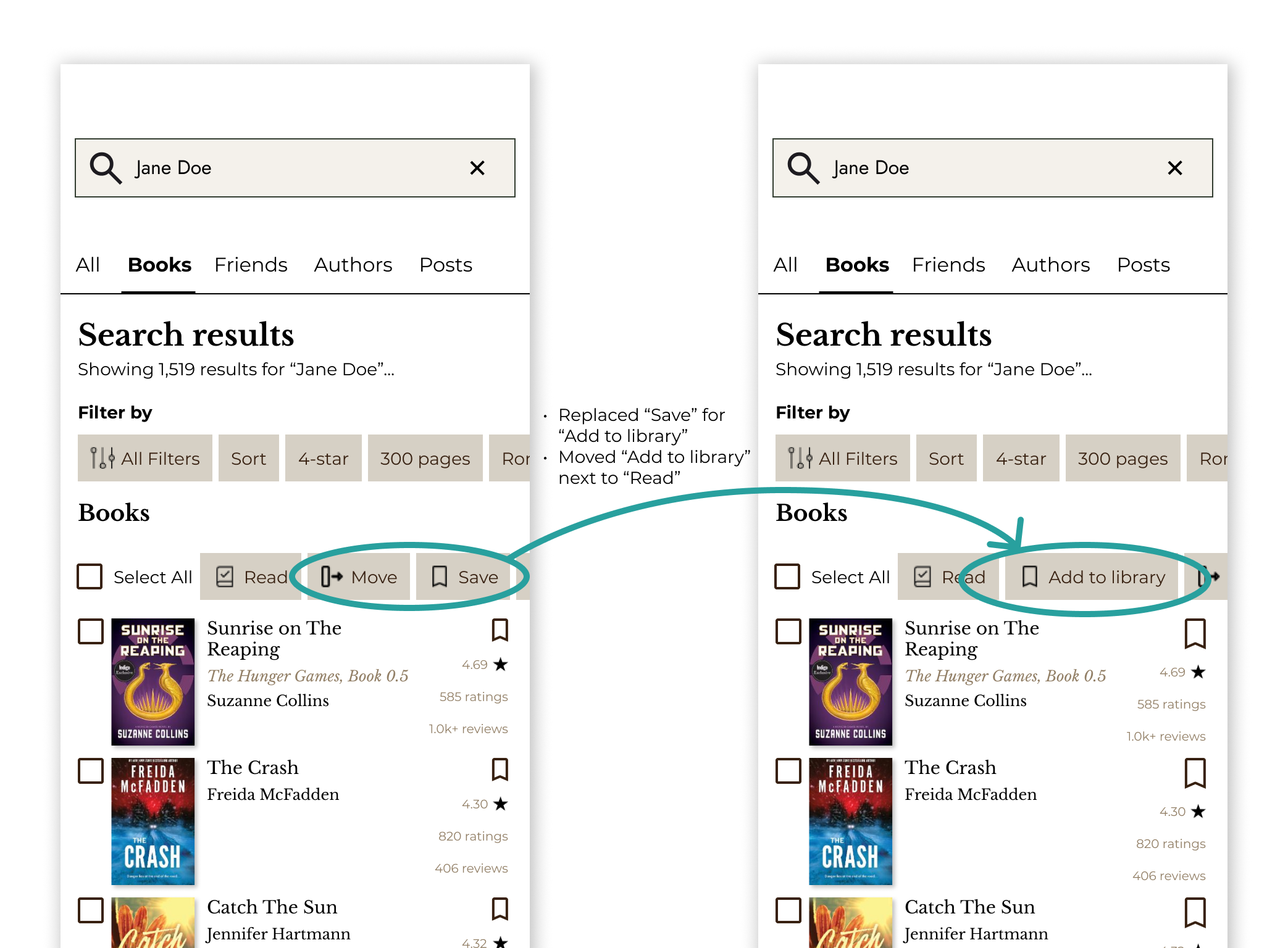
  • Participants were confused with the wording of the “Save” button in the bulk actions section. It wasn’t clear that this button would add a book to their library.
  • The order of these buttons could also be reviewed. The ‘Save’ button could potentially go before ‘Move’ as it may be a more common action (data needed to validate). If technically feasible, perhaps the ‘Move’ button should only appear when the user already has that book in their library.

Filters worked well, lots of options and information to look for a book. Once I filtered, I thought of using the “move” tab to save it in my library , however that didn’t work. So what’s that for?

The task was simple to understand and the filters were easy to find. The only thing was, I couldn’t add the book to my library / want to read. I could only ‘save’.

I was able to use the save button, but is there a button to save to your library? I may not have found it but I was able to do all of the other functions and check boxes off!